Automato Hub
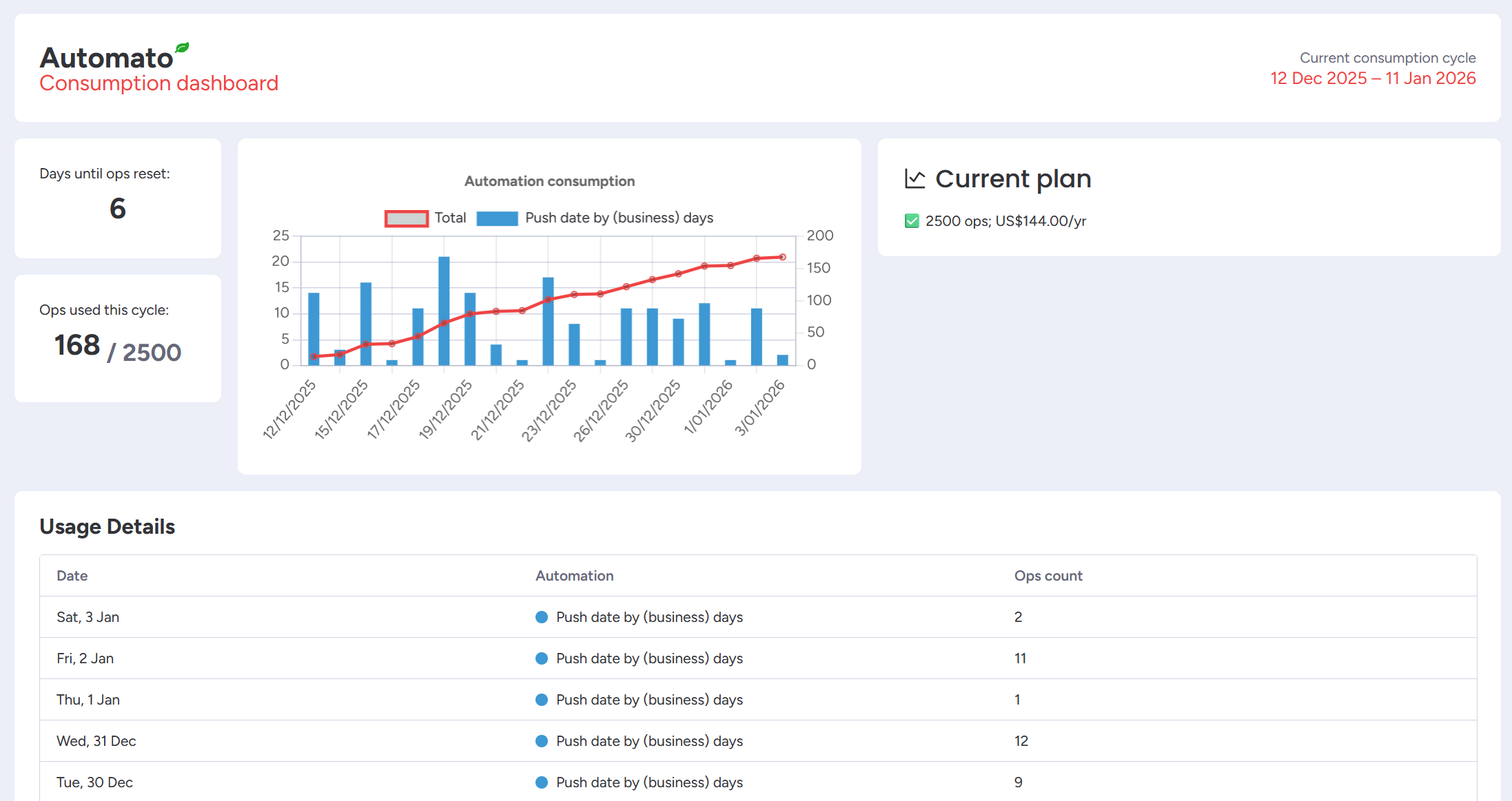
Keep a close eye on your automation usage using the Automato Hub.
The Automato Hub is the central place for checking your automation usage and subscription status. It provides full visibility across all workspaces and is accessible to all users.
Accessing the Automato Hub
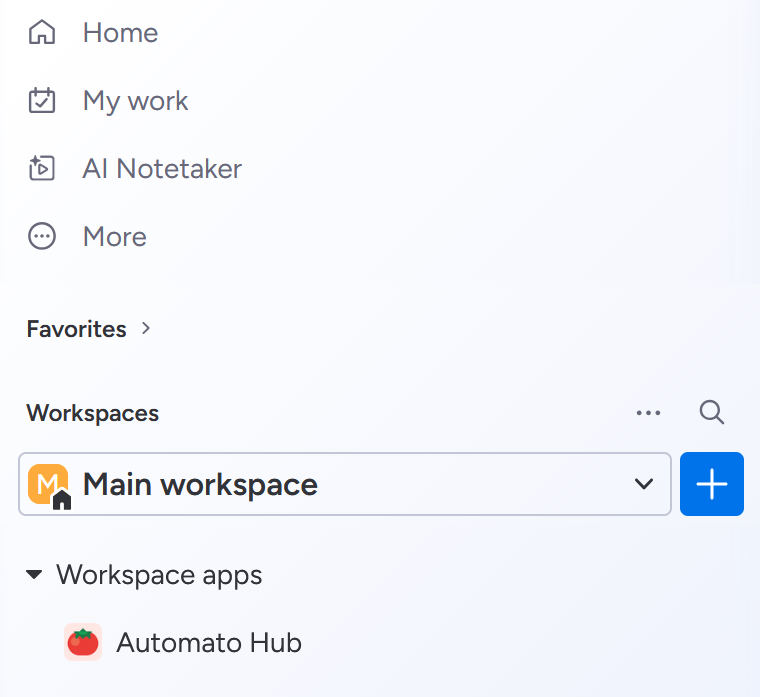
To view the Automato Hub, navigate to the left pane of your board, and open the Workspace apps menu. There you will find a link to the Automato Hub.
Automato Hub components
The Automato Hub offers several key pieces of information:
- Consumption cycle
- Your account’s current plan
- Total and per-automation op usage
Consumption cycle
The consumption cycle is the period in which automation op usage is collected. If your account is on a paid plan, this period runs for a month from the day of the month the subscription started. If you’re on a free or trial plan, this period runs for a month from the day of the month you first installed the app.
Current plan
See which plan your account is currently on, how much it costs, and how much monthly operations your Automato automations can perform.
Operation usage
Every Automato automation has a cost counted in “operations”. Most automations cost 1 operation. More complicated automations may incur more than 1 operation in cost. If this is the case, this is documented on the automation overview page.
In the center of the Automato Hub, you will find a line chart showing the cumulative total operation usage for this consumption period. The same chart also contains a bar chart showing how many operations were used per day per automation type.
At the bottom of the Automato Hub, you will find a table showing per-day, per-automation usage. These numbers match the bar chart above.
 Install Automato